Home > Faceted browsing
Enabling Faceted browsing
Use-case
By default, when exploring a knowledge graph, any possible criteria combination can be expressed by the user, so that, even if 2 lines would separately return results, the combination of them returns nothing (for example Place of type “Mountain” on one hand, and Place located in street “Street X” on the other hand : both return results separately, but as no Mountain can be said to be located on a street, the combination of the 2 criterias returns nothing). In addition, when selecting values from a list or an autocomplete field, the list of proposed values will be only the ones actually used in the data for the current criteria, but it does not take into account the rest of the query criterias.
The solution
Starting with v14, Sparnatural supports a “faceted browsing mode” that will dynamically filter the criteria and the values in the graph exploration, based on the complete query.
Enabling faceted browsing mode
To enable faceted browsing mode, simply set the attribute facetedBrowsing on the <spar-natural element:
  <spar-natural
    src="sparnatural-config.ttl"
    endpoint="https://dbpedia.org/sparql"
    facetedBrowsing="true"
  />
Example 1 : filter values in dropdown lists
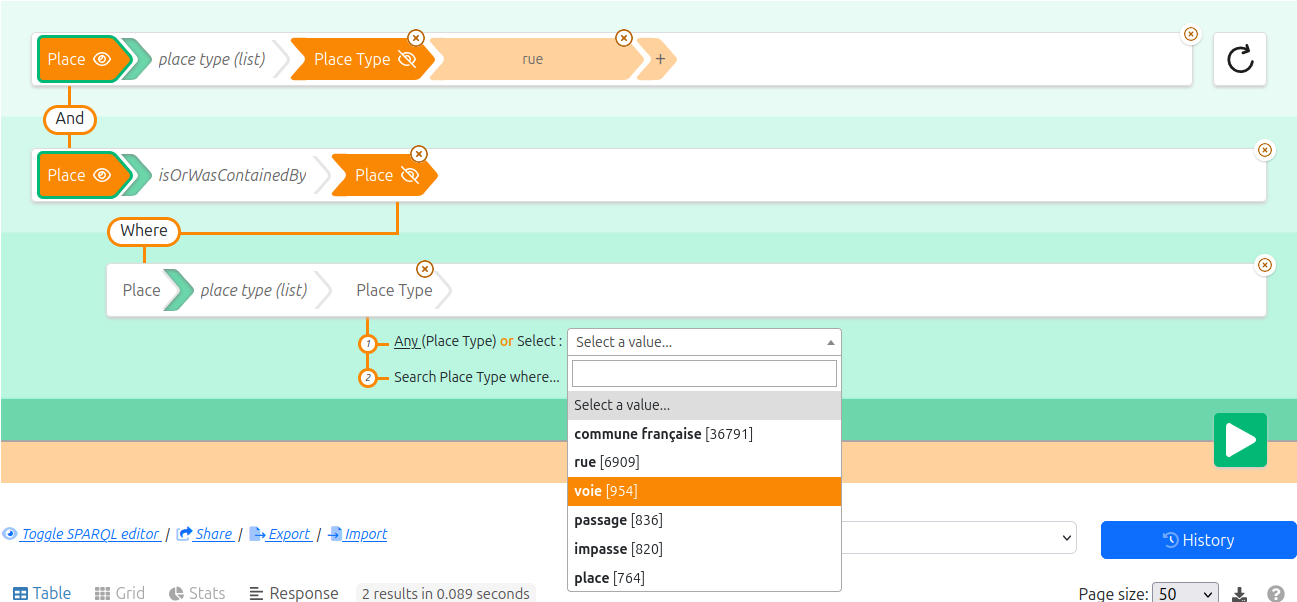
Consider the following example : Places can have a type, and Places can be contained in other Places.
Without faceted browsing mode, if I first search for Places of type “Street” (“rue” in French), and I then traverse the graph to select the type of the “parent” Places in which they are contained, I get the full list of possible values:
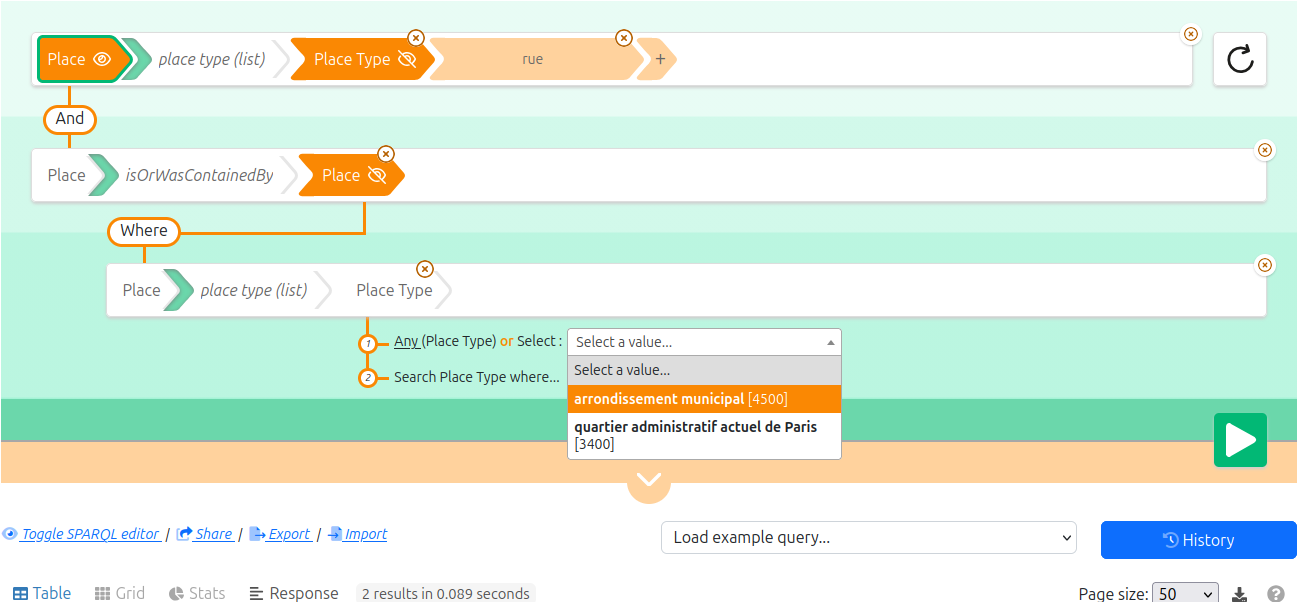
With faceted browsing mode enabled, if I do the same search, I will be proposed with only the types of Places in which Places of type “Street” are contained (which result in only 2 values “borough” and “district”):
Example 2 : preventing a query criteria
Consider the same example as above : Places can have a type, and Places can be contained in other Places.
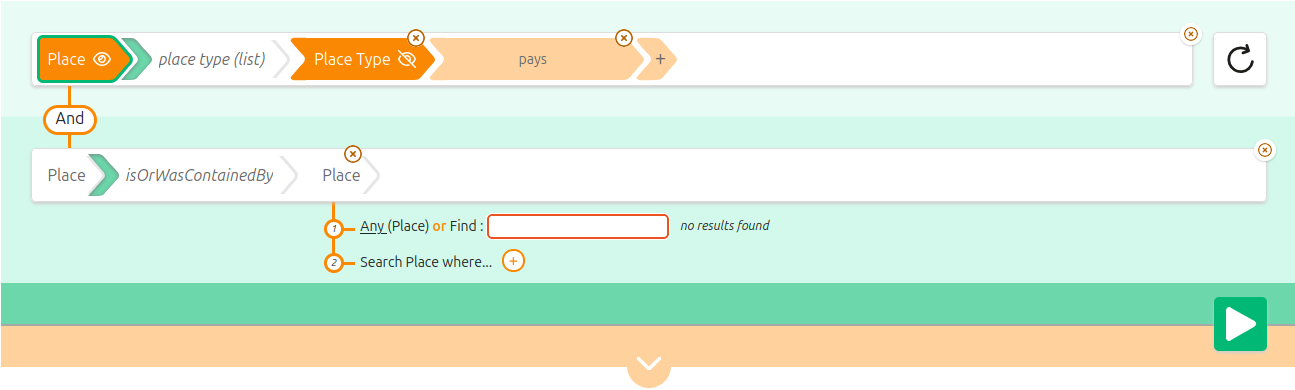
Without faceted browsing mode, if I first search for Places of type “country” (“pays” in French), and I then try to add a criteria on which other Places they are contained in, I am allowed to do it:
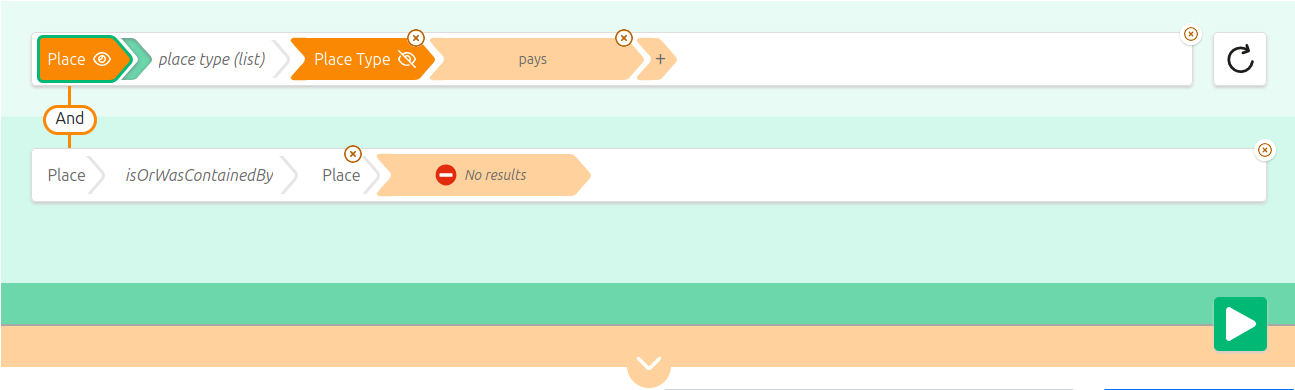
With faceted browsing mode enabled, if I try to do the same search, my second criteria on the Places in which the country is contained will be blocked, because no country places is contained in another place in the knowledge graph :
How it works
When faceted browsing is enabled:
- Whenever each criteria line is expressed, with its subject, predicated and object, a SPARQL
ASKquery is triggered with the full query including this criteria line to ensure that some results do exists. If not, the user is notified and no value selection can happen - Each SPARQL datasource for lists, autocomplete and tree widgets will also include the full SPARQL query, so that the set of returned values corresponds to the ones that make sense for the whole query
Datasources Requirements
In the SPARQL datasources, you need to ensure that the variable $this is used to represent the subject of the current criteria. Typically the variable $this will be typed with the $domain magic variable, and linked to the set of possible values with the $property magic variable (see the datasources configuration page for more details on variable replacement in datasources).
A typical example is :
SELECT DISTINCT ?uri ?label
WHERE {
    $this $type $domain .
    $this $property ?uri .
    ?uri $labelPath ?label .
    FILTER(isIRI(?uri))
    FILTER(lang(?label) = '' || lang(?label) = $lang)
}
ORDER BY UCASE(STR(?label))
LIMIT 500
The full current SPARQL query of Sparnatural will be dynamically injected inside the datasource query at the position of the first occurrence of the $this variable.
Other than this naming convention, no other modification is required on the datasources query. This means that the same datasource can be used both with or without faceted browsing mode enabled.